The numbers
What this component saves
The numbers first, the story after. If you only have a minute, this section is it.
See the breakdown – item by item
| What falls due in a year | With a standard CMS and a supplier | With this system |
|---|---|---|
| Maintenance and security updates | €100 – 300 per month | none – small codebase, no third-party extensions |
| Licences for extensions and templates | €30 – 120 per month | none |
| A text change on an existing page | €45 – 150 per request, 1 to 5 days | in house, about 5 minutes |
| A new page in the corporate design | €800 – 3,000, 2 to 4 weeks | in house, about 2 hours |
| Recovery after a mistake | hourly rate, if a backup exists at all | one click – the backup is automatic |
| Per year, at two changes a month | €4,000 – 11,000 | around €180 in hosting |
Where these figures come from: Typical market rates for the German Mittelstand, deliberately set at the lower end – not quotes obtained for this purpose. Anyone paying more will find the gap larger, not smaller.
The real gain is not the money. It is response time. When a price change takes five minutes instead of five days, it changes how often anything gets changed at all. Sites that are expensive to maintain go stale – not through neglect, but because every small edit requires a decision.
Starting point
Why build one at all
The website was finished and running. What was missing was everyday life after launch: changing copy without touching code, planning posts without opening five apps, and knowing that an edit will not break anything.
The actual problem
- Every change needed a developer. A misplaced comma meant: open the file, find the spot, upload, hope. A disproportionate journey for half a sentence.
- A standard CMS would have replaced the site, not extended it. WordPress would have meant forcing 117 grown pages into someone else's template system – losing exactly the design that makes the difference.
- Social media ran on the side. Topics in your head, dates in the calendar, copy in notes, publishing by hand. Across five channels with five sets of rules, quality is what gets lost.
So the decision was never “CMS or no CMS”, but a system that subordinates itself to the existing site instead of taking it over.
In service
What the system does today
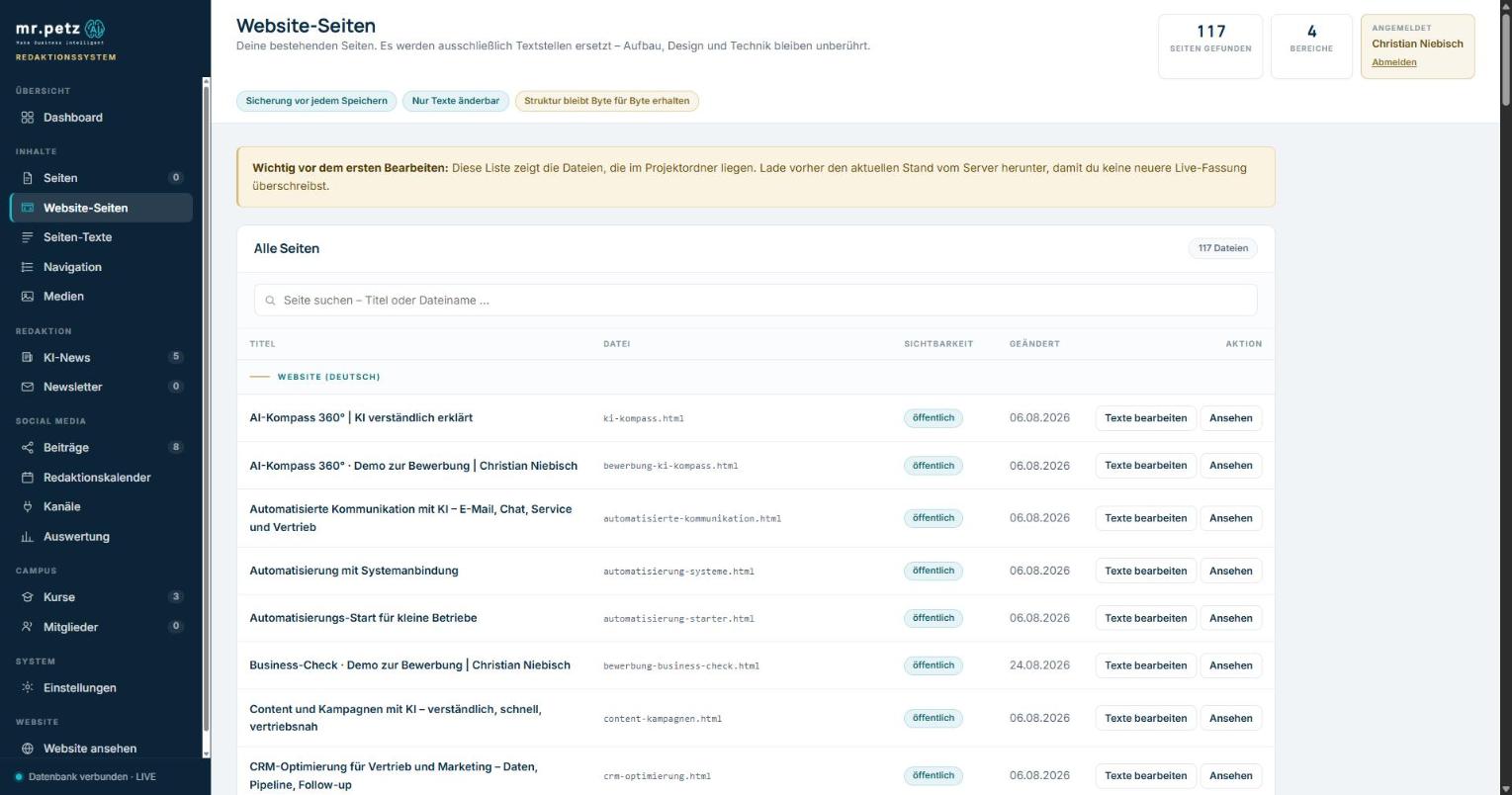
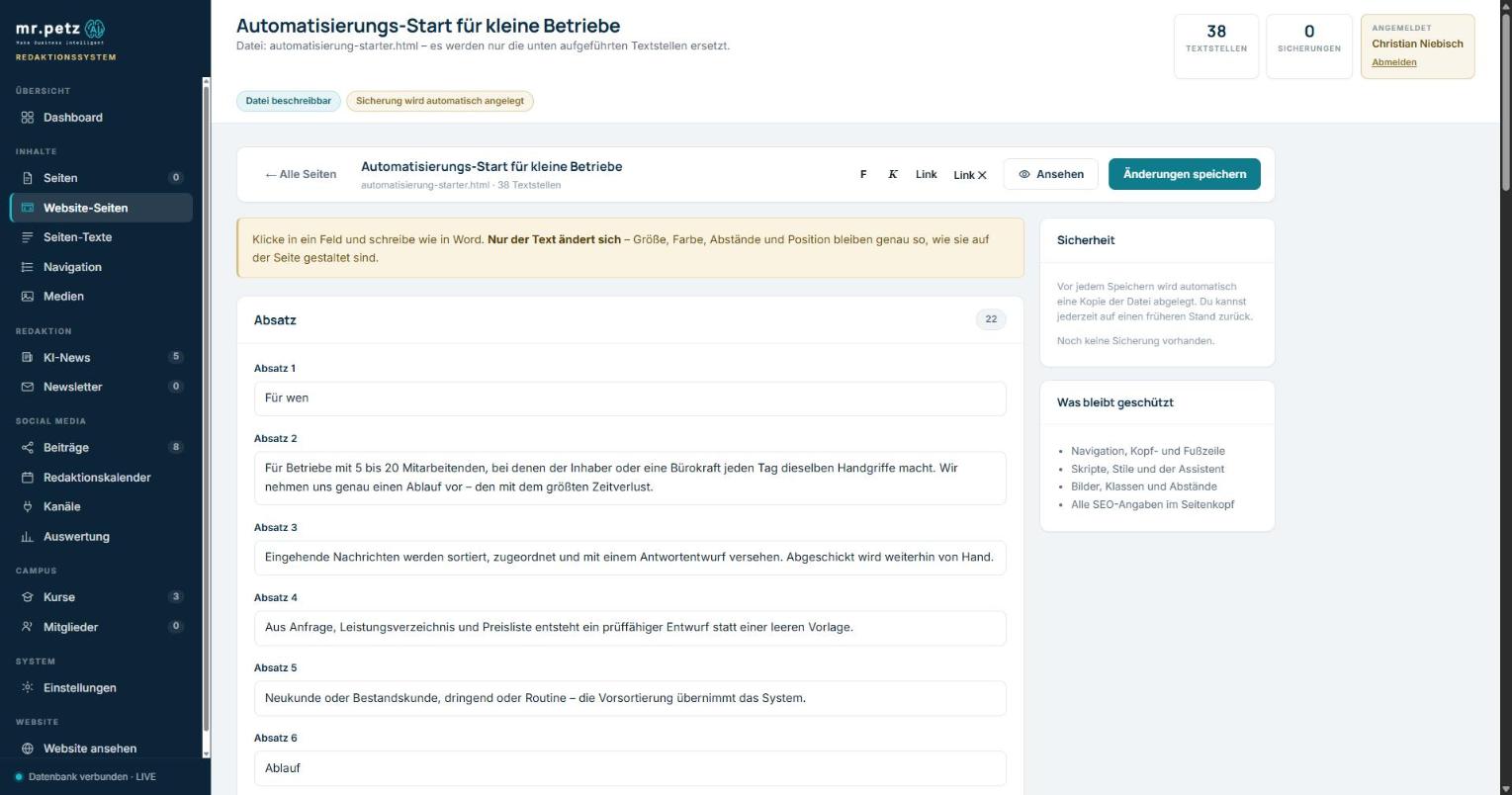
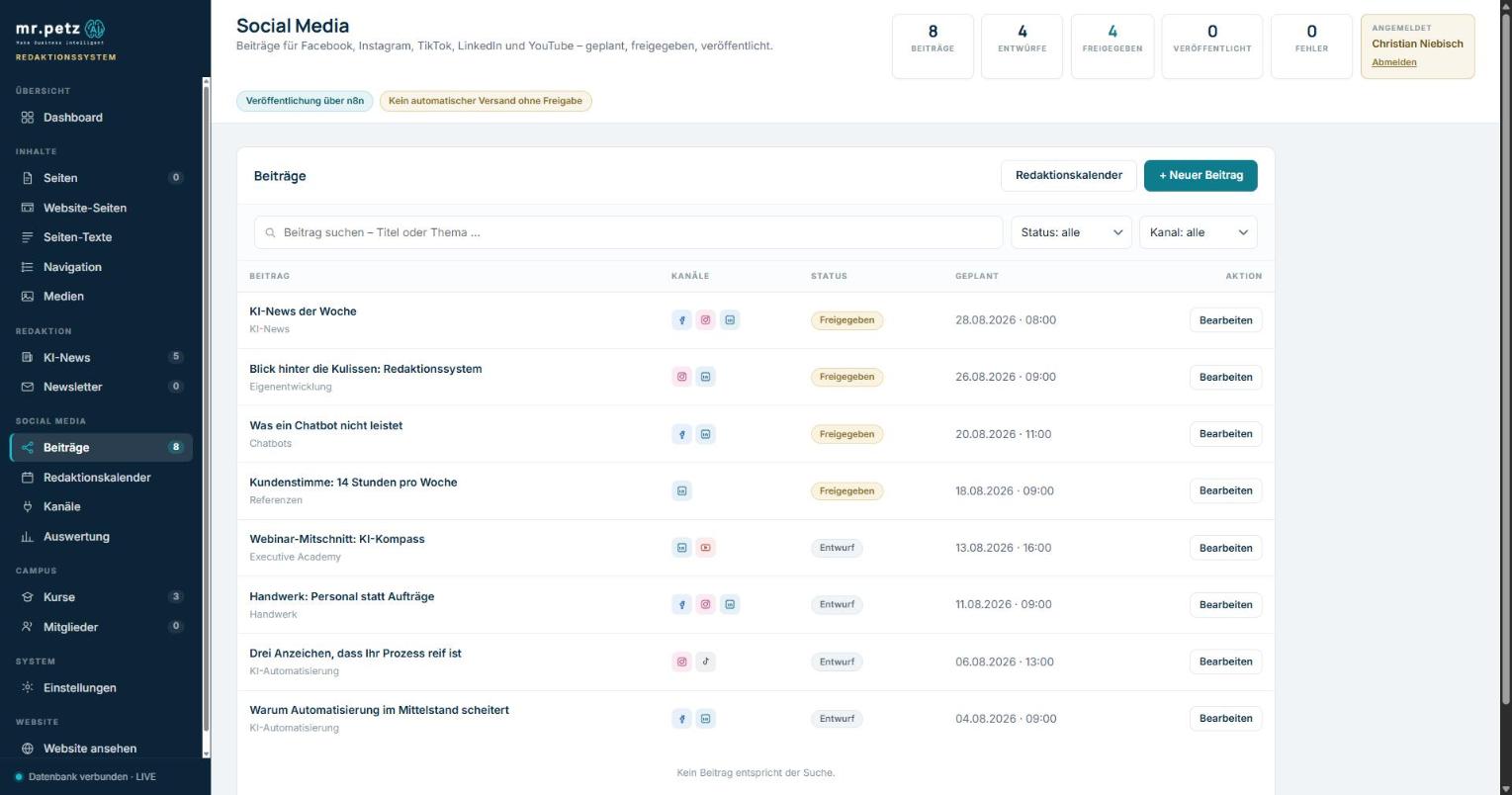
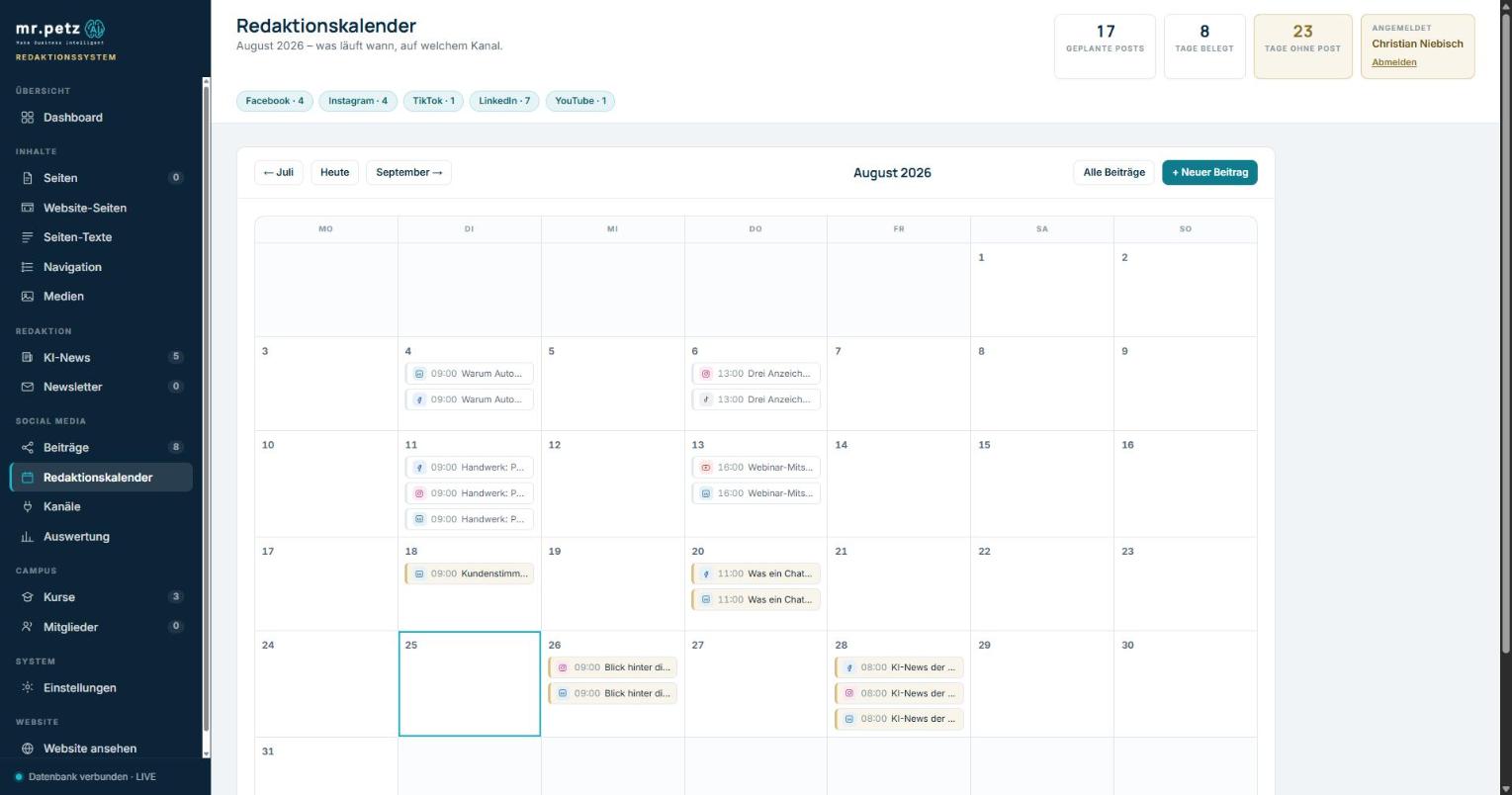
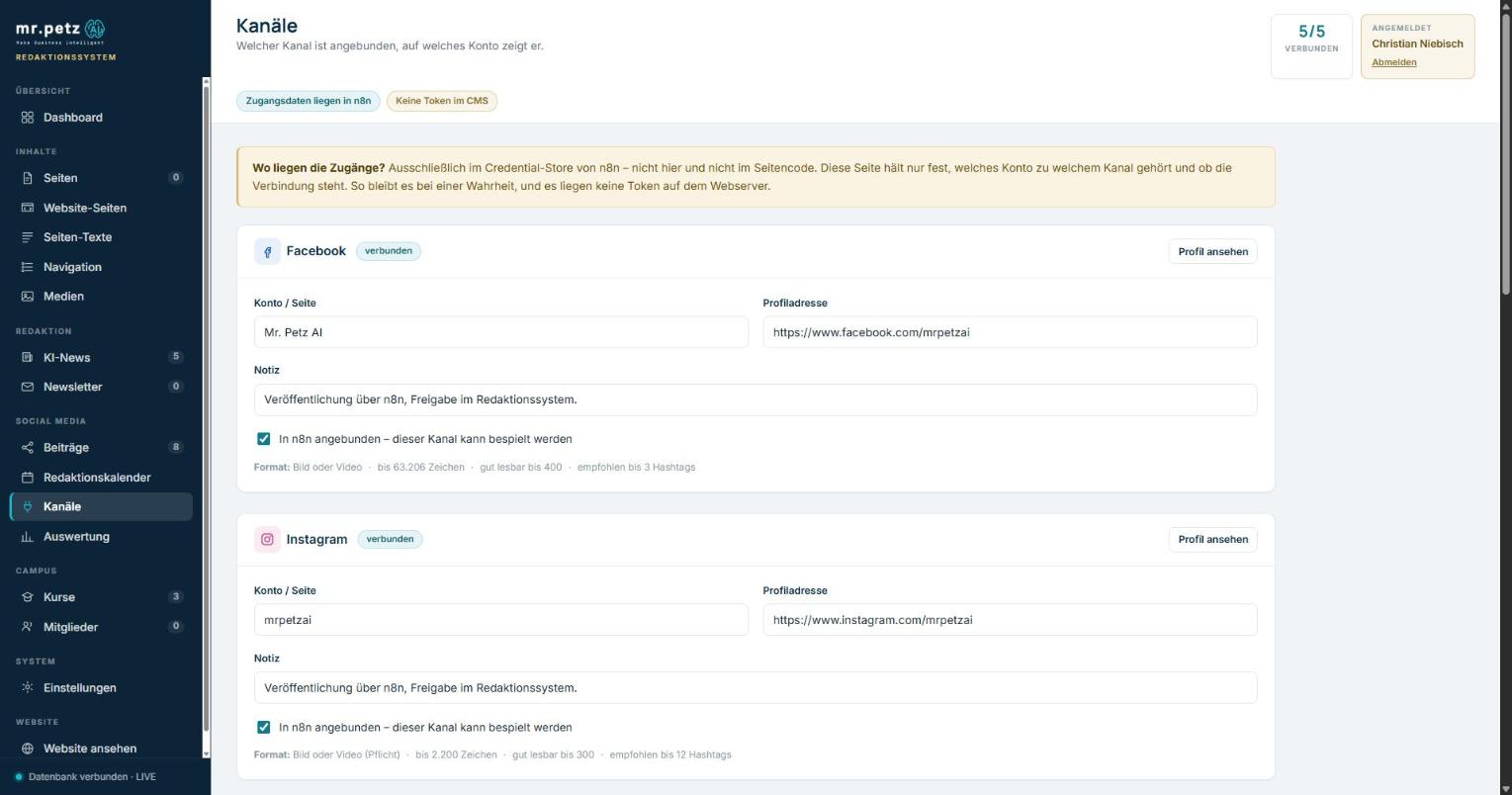
Every screen comes from the running system. The content shown is sample data; the interface and the counting logic are real.
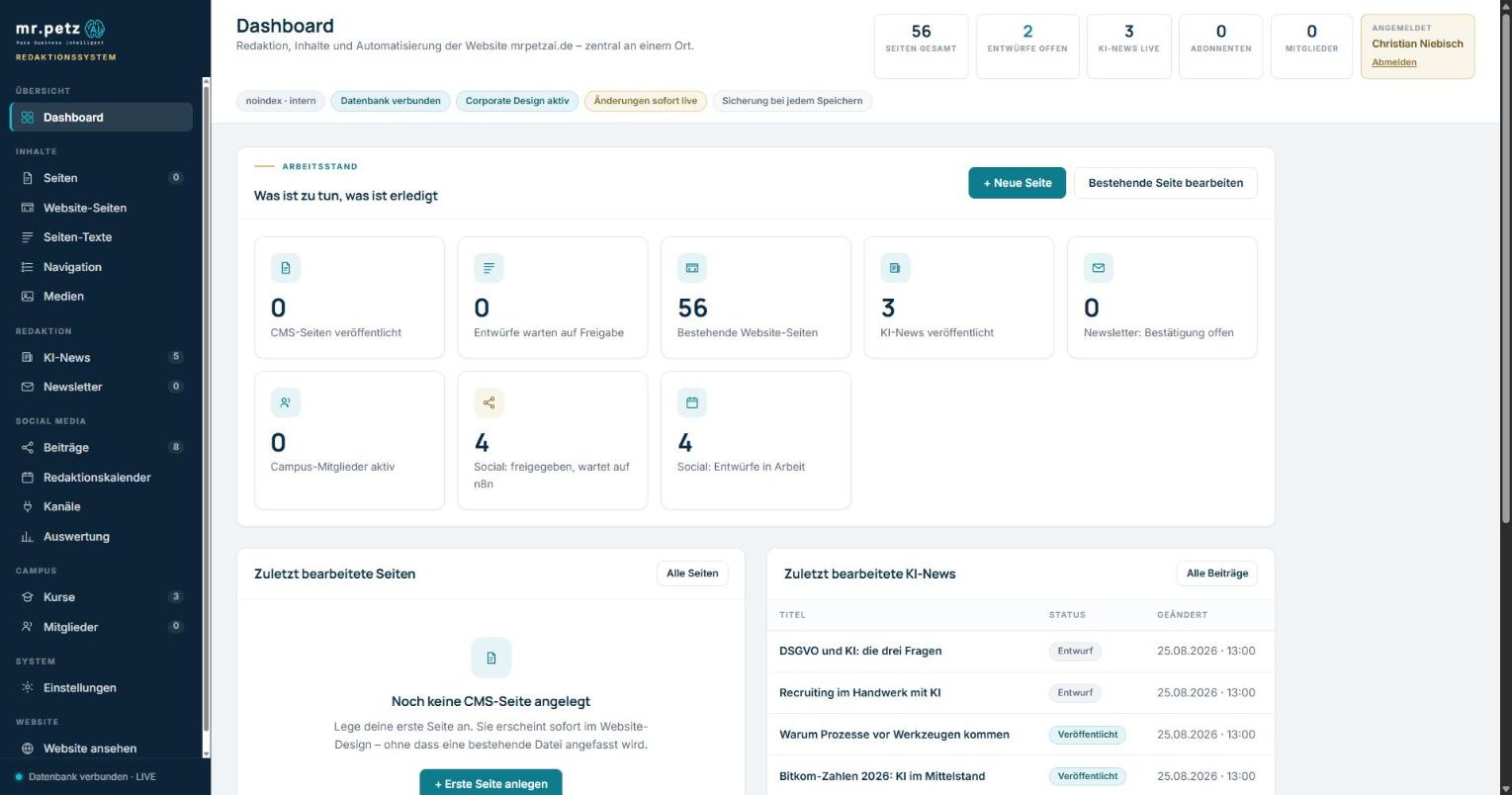
The real lever: editing pages that already exist
The heart of it is not managing new pages but handling the ones already there. The system reads each HTML file, recognises the text passages and presents them as fields. On saving, only the text is replaced – structure, classes, scripts and spacing survive byte for byte.
Writing like in Word – without endangering the design
The editor has a ribbon, a white sheet and a status bar with a word count. The metaphor is deliberate: anyone who can use Word can use this page. The difference sits underneath – the styles do not produce arbitrary formatting but exactly the markup of the corporate design. Pasting from Word brings the text across and leaves the foreign fonts and colours behind.
Social media: one topic, five versions
A post is written once and adapted per channel. The character counter runs against the platform's real limits, with the format rules beside it. Publishing does not happen from the editorial system but through the automation – more on that below.
How it is built
The decisions behind it
A system like this does not live on its feature list but on a few early decisions that cannot be corrected later.
Extend, do not replace
The grown website stays as it is. The system sits beside it and changes only what has been explicitly released. No migration, no data loss, no rebuild.
A way back before a way forward
A backup is written before every change to an existing file. Restoring is one click. People who work without a safety net work carefully – and then nobody works at all.
One source of truth per task
The editorial system plans and approves. The automation publishes. No overlapping responsibility, no two versions drifting apart.
Credentials where they belong
Not a single platform token sits on the web server. The interface knows only a key of its own. If the web server is compromised, the social accounts are not.
How publishing works
The editorial system sends nothing itself. It makes approved posts available through a secured interface. The automation collects them at the scheduled time, publishes them and reports the outcome and the figures back.
- Approval: nothing happens without an explicit release. A draft cannot go live by accident.
- Collection: the automation asks for due posts at intervals – the system pushes nothing.
- Feedback: success, failure and engagement figures come back and appear in the report.
- Traceability: for every published post the system holds the time and the address of the original.
The report deliberately shows nothing until real figures exist – rather than inventing estimates nobody can verify.
Where this is going
Four stages – two running, two intended
A system that stops after version one was planned badly. This one is built to be extended. What is finished and what is intent are kept apart here.
Editing
Maintaining content without touching code.
- 117 existing pages editable
- New pages from within the system
- Newspaper editing
- Media, navigation, text blocks
- A backup on every save
Planning and approval
Social media as an editorial process rather than a side activity.
- One topic, five channel versions
- An editorial calendar with status
- Approval as a deliberate step
- Handover to the automation
- Outcome and figures reported back
Assistance in the newsroom
The system proposes, the person decides.
- Drafts for all five channels from one topic
- Suggestions in the house voice, not in marketing speak
- An image proposal from the existing library
- A nudge about gaps in the calendar
- A readability check before approval
The learning editorial plan
The loop closes: what worked shapes what gets planned.
- Topic suggestions from your own engagement
- Publishing times from your own figures
- Feedback from the CRM: which post led to a conversation
- Strong topics picked up again automatically
- A quarterly report without manual assembly
Stages 3 and 4 have deliberately not been started. Stage 2 has to carry in daily use first and produce enough figures of its own – otherwise you automate assumptions instead of findings.
What it means
What this is worth to a company
This application was built for one specific business. Its value lies less in the result than in what the route there demonstrates.
- Requirements come from the work, not from a catalogue. What got built is what was causing friction, and nothing beyond it. That is the same stance I bring to projects with business departments.
- You can judge feasibility once you have built it yourself. In estimates, quotes and supplier conversations I know what is being talked about.
- Translating between the business and the technology. The system is built so that someone without technical background can work with it. That translation is the actual job.
- Automation with a brake. Approvals, backups and separated responsibilities are not conveniences but the precondition for a company being allowed to use a system like this at all.
Plenty of people can build websites. What is rare is the combination: over twenty years in marketing, sales and business development, responsibility for revenue – and the ability to turn that into a working application other people can operate.
Take it with you
This reference as a PDF
The figures, the build and the reasoning, laid out for A4 – without navigation, with contact details in the footer. To pass on or to print.